If the host has allowed participants to self-select and join breakout rooms of their choosing, participants will be able to view and select from a list of breakout rooms the host has created. They will be able to enter and leave breakout rooms freely.
Note: Participants not joined with the desktop or mobile app (version 5.3.0 or higher) will not be able to self-select a breakout room. The host will need to facilitate moving these participants manually.
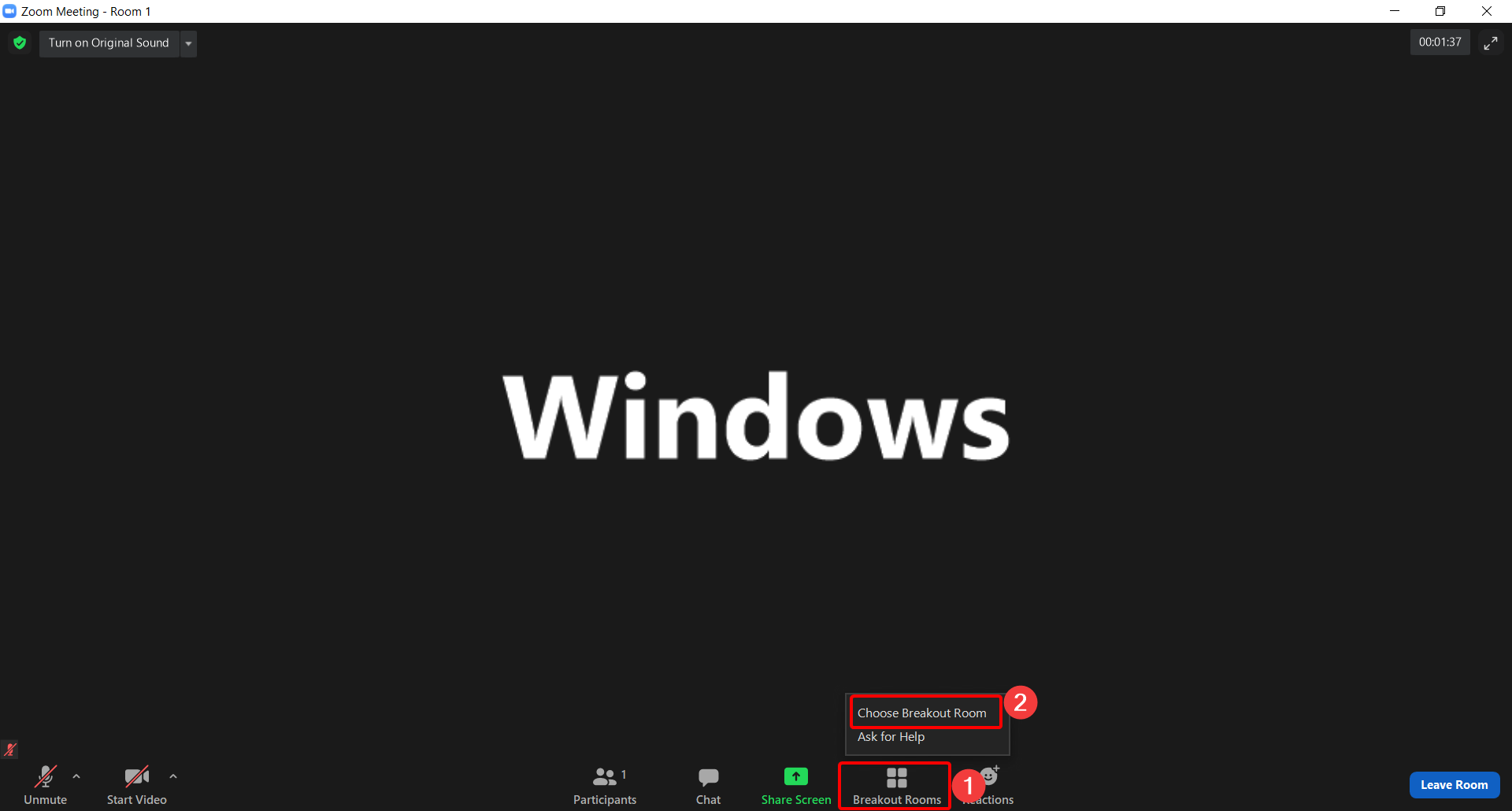
Windows/Mac/Linux
- Click on Breakout Rooms, then Choose Breakout Room
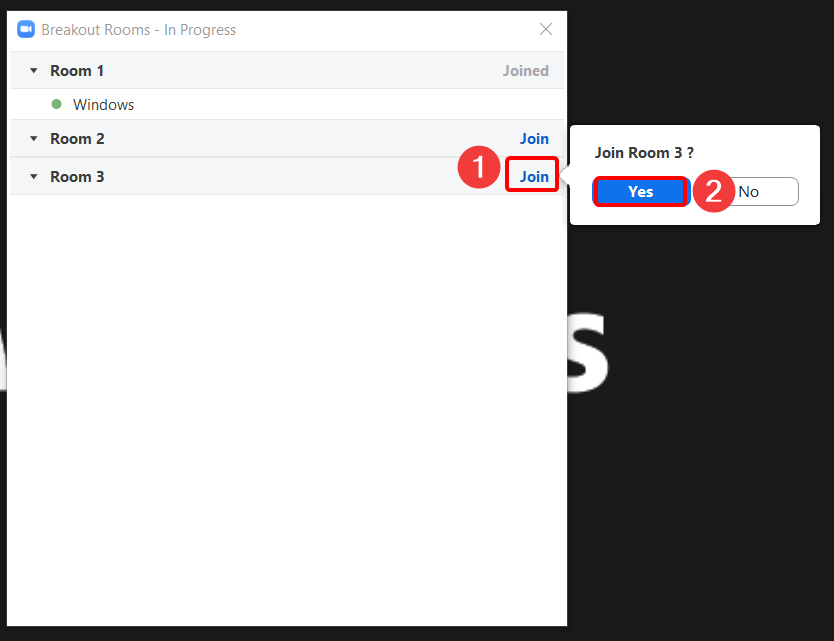
- Click Join next to the Breakout Room you wish to participant in, then click Yes to join.
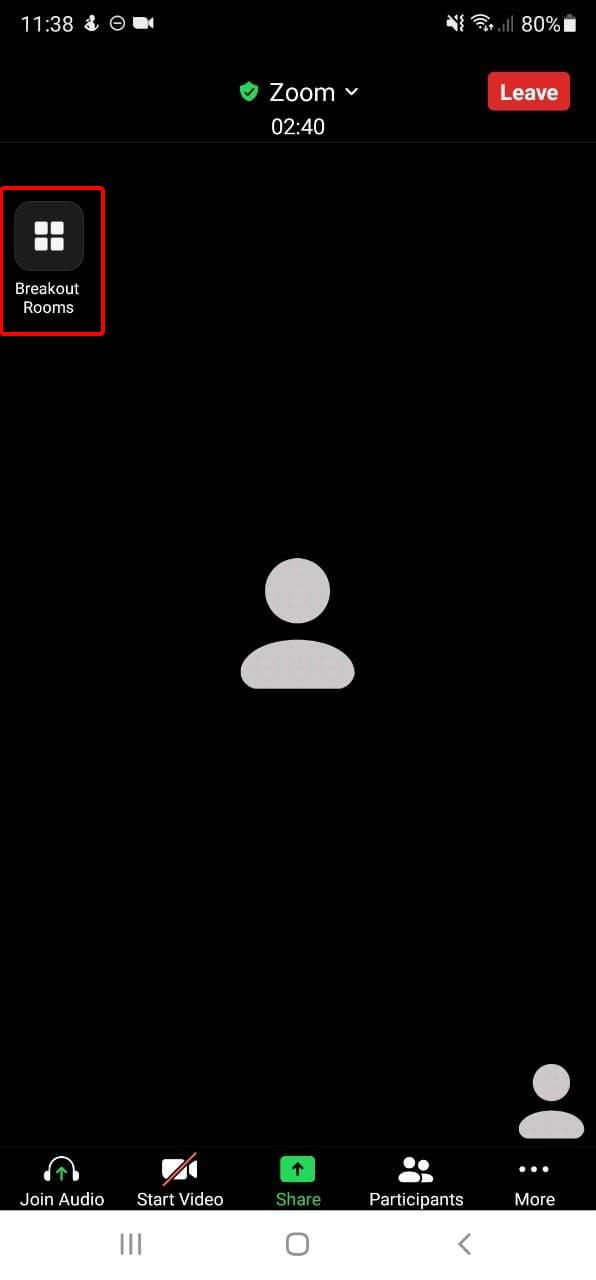
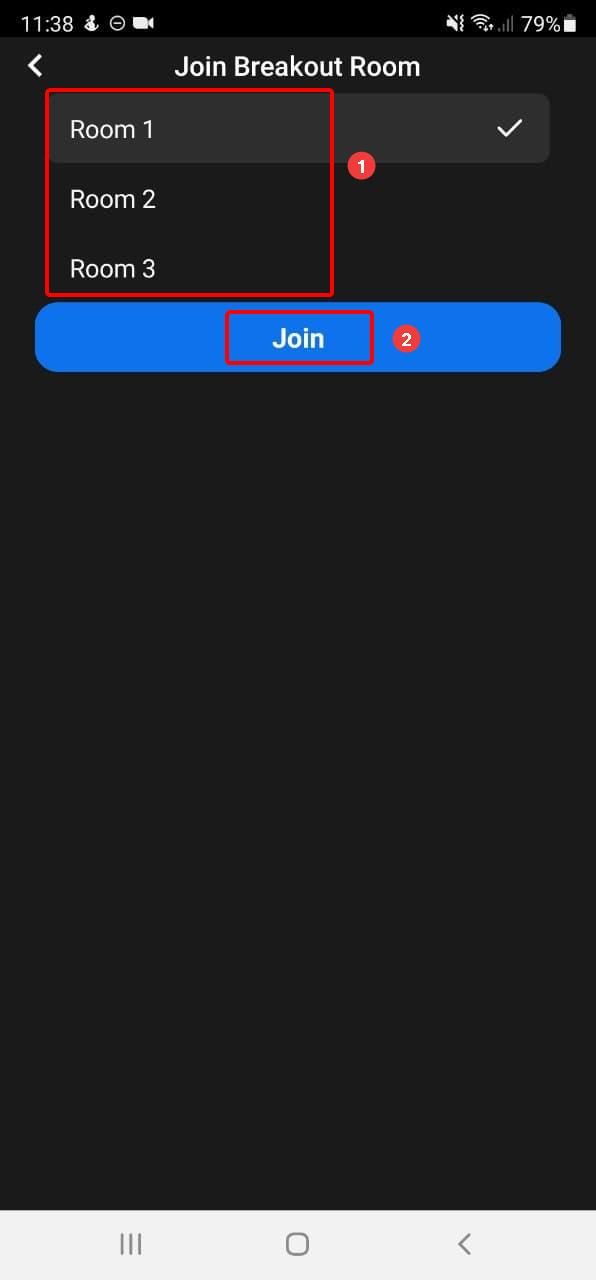
iPhone/Android
- Tap on the Breakout Rooms icon on the left corner. (You might need to tap on the screen once to show the icon).
- Select the new room and click Join.
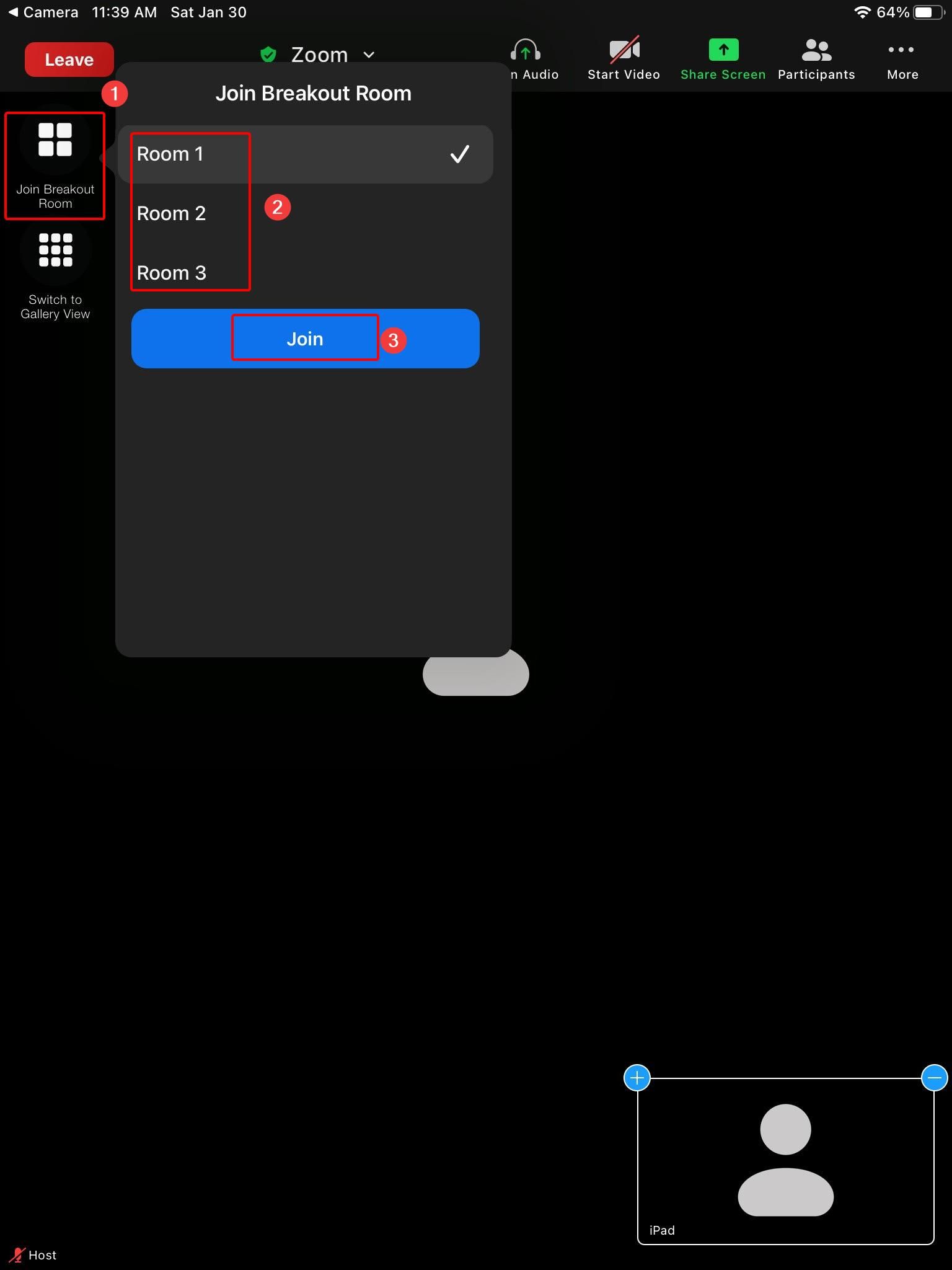
iPad
- Tap on the Breakout Rooms icon on the left corner. (You might need to tap on the screen once to show the icon).
- Select the new room and click Join.